How to Verify a Vaisala WXT535 or WXT536 Before Mounting It: A Receiving Inspection Checklist
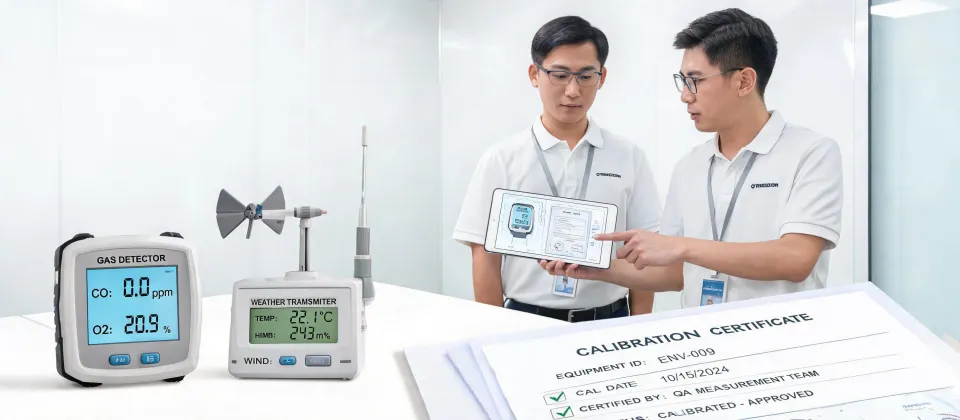
I'm a quality/compliance manager at an environmental instrumentation integrator. I review every delivery before it goes to a customer—roughly 200 items a year. In 2024 I rejected about 8% of first deliveries because the spec on the box didn't match the purchase order. Not because the hardware was bad. Because someone skipped receiving inspection.
This is the checklist I use when a Vaisala WXT535 multi-parameter weather sensor or a Vaisala WXT536 weather station shows up on the dock. It's not the full commissioning procedure. It's the 20-minute gate before you spend four hours on a mast.
5 minutes of verification beats 5 days of correction.
It took me two years and about sixty supplier returns to understand that receiving inspection is the cheapest insurance you'll buy. Here's the step-by-step I wish I'd had from day one.
Tools Needed Before You Open the Box
You don't need a metrology lab. You need four things:
- A calibrated digital caliper
- A current-loop-capable digital multimeter, ideally a Fluke 87V industrial multimeter
- A known-good reference temperature and relative humidity probe with a current calibration certificate
- A camera and a receiving inspection form
Where to Buy Calipers
Where to buy calipers? Start with the authorized industrial distributor your company already uses. I buy Mitutoyo calipers through a local distributor because the calibration paperwork is traceable and I know the tool hasn't been swapped. Marketplace listings are tempting, but a counterfeit caliper can be off by half a millimeter and you'll never know until the weather station is bolted to a bracket that's one millimeter too tight.
Where Are Mitutoyo Calipers Made?
Where are Mitutoyo calipers made? Mitutoyo is a Japanese company, and the standard calipers I've used carry a 'Made in Japan' marking on the box. Some products are built in other Mitutoyo plants, so check the origin label. If the packaging doesn't clearly show country of origin, treat it as a red flag.
Why the Fluke 87V Industrial Multimeter?
I use a Fluke 87V industrial multimeter for loop checks because the mA range is stable enough to catch a 0.1 mA shift. For a 4-20 mA signal, a 0.1 mA shift is roughly 0.6% of span. On a pressure reading that can hide a real calibration issue.
The Six-Step Receiving Checklist
- Match the product code and serial number to the PO. The label on a Vaisala WXT535 tells you exactly which options are inside. I went back and forth between the WXT535 and the WXT536 on a project once. On paper, the WXT535 covered every measurement I needed. But the WXT536 made the PLC integration simpler because it had the analog outputs. I chose the WXT536 and didn't regret it. The lesson: don't rely on memory. Check the order code, the label, and the packing list in the same room.
- Inspect mounting surfaces and connector threads with calipers. This is the step I still see skipped on routing sheets. If the mounting hole pattern is off by 0.5 mm, the sensor will sit crooked, and a 10-meter mast will amplify that into a wind direction error. Use the calipers to verify bolt spacing, thread pitch, and connector fit. Also check the cable gland and unused connectors. Water entry is the most common cause of WXT530 series returns, so make sure the protective cap is tight.
- Power it on and check current loops with the 87V. Don't power the Vaisala from the final long cable. Bench-test with a 12 V or 24 V supply, using the voltage specified on the label. Wait for warm-up. If your order includes analog outputs, put the Fluke 87V industrial multimeter in mA mode, in series with the loop, and confirm each output is alive. Catching a dead output on the bench beats catching it at the top of the tower.
- Compare readings against a known reference. According to Vaisala's WXT530 series documentation, the WXT530 family uses ultrasonic wind sensing and RAINCAP precipitation sensing, so there are no moving parts to inspect. The electronics bench check matters more. Place the sensor next to a NIST-traceable reference thermometer and relative humidity probe. Let it settle for at least 10 minutes. Compare the Vaisala serial output to the reference. I'm not looking for perfect agreement; I'm looking for offsets that seem out of spec. If the temperature reads 2°C off, don't try to fix it in software. Return the unit before it becomes the customer's problem.
- Confirm firmware, outputs, and communication settings. Connect to the sensor with the Vaisala configuration tool. Check that the firmware matches the project specification. Verify the baud rate, protocol, and message interval. A WXT536 is often ordered with analog outputs, but the digital protocol still needs to match your data logger or PLC.
- Write it down and attach it to the asset record. Record the serial number, firmware, test results, and photos in your receiving log. I've saved hours by having a simple spreadsheet that tells me which transmitter went to which site and which firmware it shipped with. If you skip this, the next person will re-run the entire test because they won't trust the file.
Notes and Common Mistakes
Don't skip the warm-up. The pressure, temperature, and humidity module needs time to stabilize. Readings taken in the first 60 seconds will scare you. Give it 10 minutes.
Check the power supply voltage at the sensor connector. Even with the right nominal supply, a long cable can drop voltage. Use the 87V to measure at the connector before you condemn the sensor.
Vaisala WXT536 weather station price USD. I don't have hard data on current list pricing. Based on U.S. quotes from late 2024, the WXT536 usually lands between $2,500 and $4,000 USD. One quote was around $2,800—no, I'm mixing that up with a WXT535. The WXT536 quotes I saw were $2,500 to $4,000 depending on heating, cabling, and calibration options. This was accurate as of Q4 2024; verify current rates before you budget.
Don't assume the mounting kit is included. Oh, and don't assume the bracket is in the box. It's not always included. Order the bracket and power adapter at the same time to avoid a week of waiting.
Documentation is the deliverable. The sensor is only half the deliverable. The calibration certificate, firmware note, and inspection record are the other half.
Why It's Worth It
Receiving inspection isn't going to make you popular on the loading dock. It's going to stop a $3,000 sensor from becoming a $22,000 rework and a delayed launch. The Vaisala WXT535 and WXT536 are solid pieces of hardware. The quality problem is almost never the sensor. It's what happens between the purchase order and the mast.

Marcus Feld
Marcus Feld is an electrical test and measurement analyst specializing in multimeters, oscilloscopes, clamp meters, insulation testers, spectrum analyzers, and data loggers. He applies IEC 61010-2-030 and IEC 61010-031 concepts while examining measurement category, bandwidth, true-RMS response, input loading, and stated uncertainty. His work helps maintenance engineers and test teams choose safe instruments with performance suited to the signals and environments they actually measure.